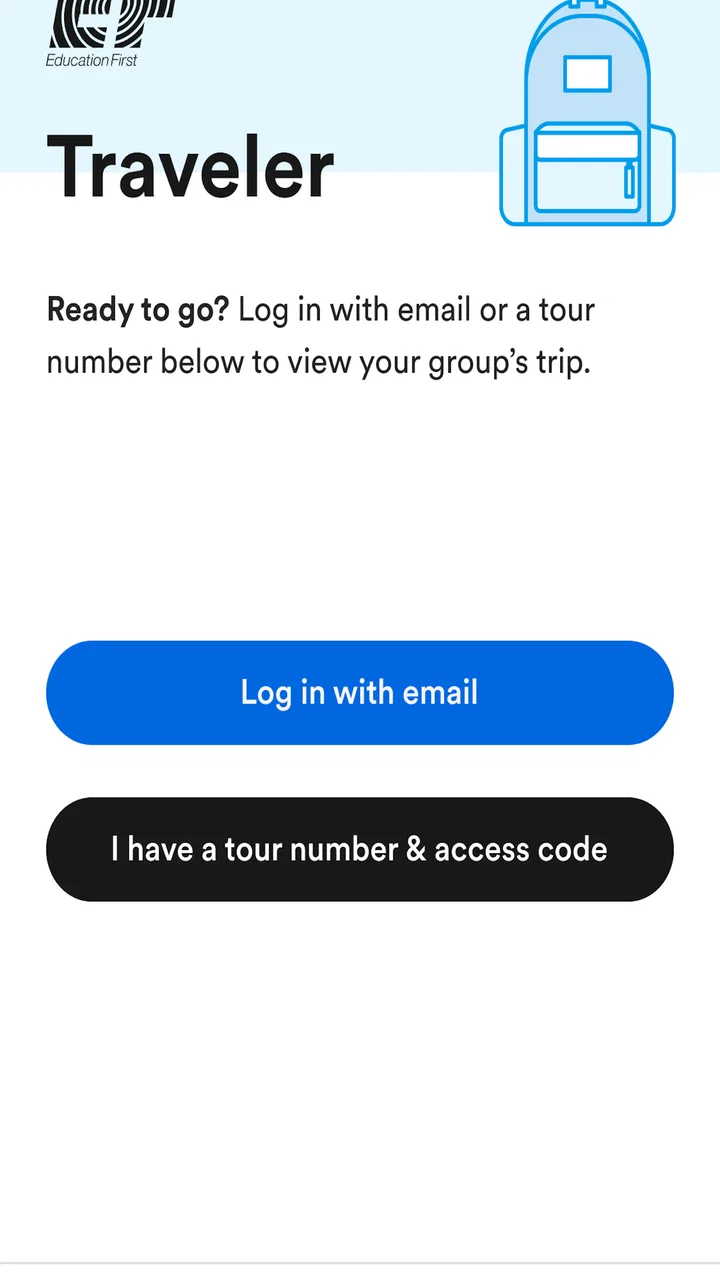
EF Traveler
- 3.2
- Rating
- 100.00K
- Installs
- Free
- Price

 Analysis by App-foxy
Choosing a travel app is usually less about finding the one with the longest feature list and more about finding the one that matches the way you travel. EF Traveler is aimed at a particular situation: people traveling with EF and the group leaders helping organize those trips. I found it more useful as a companion to an organized journey than as a general-purpose travel planner, and that distinction matters before you install it.
Published by Signum International AG, this free Travel & Local app has a 3.2 average from around one hundred thirty ratings and has passed one hundred thousand installs. It is rated for Everyone, runs on Android seven and later, and the current version is 1.27.1. Those details place it in the accessible, lightweight travel-tool category, but the real question is whether its EF-focused approach fits your trip.
What EF Traveler is really for
The store description presents it as a tool for EF Group Leaders and Travelers, with “EF Traveler” as its short description. In practical terms, that positioning tells me not to treat it like a replacement for a broad map app, a flight-search service, or a general itinerary manager. Its value comes from being connected to an EF travel experience rather than from trying to cover every kind of independent trip.
You May Also Like

 Blood Strike: 2.5 Anniversary
Blood Strike’s Loadouts Turn Every Drop Into a Tactical Gamble
A close look at Blood Strike’s custom loadouts: how fast access to signature weapons reshapes its battle royale rhythm, rewards preparation, and narrows the gap between fights.

 Pandora - Music & Podcasts
Pandora’s Music Is Easy to Start, but Harder to Recover
Pandora’s strength is its low-effort path from a seed to a station. Its weak spot is how much confidence it asks you to place in connection, setup, and quiet recovery.

 8 Ball Pool
 Is Built on Rivalries, Rematches, and Routine
A close look at the rivalries, rematches, shared routines, and unanswered safety questions that turn a quick pool match into a persistent mobile community.

 Samsung Music
’s Quiet Strength Is Playing What You Already Own
Its reach comes less from spectacle than from dependable access to a personal library. That simplicity is both the app’s strongest retention engine and its ceiling.

 AccuWeather: Weather Radar
AccuWeather Review: A Quick, Clear Forecast for Everyday Decisions
For everyday plans, the best forecast is the one you can understand quickly. AccuWeather makes rain timing, radar, and local conditions easy to act on, with a few trade-offs.

 Hill Climb Racing
Why Hill Climb Racing Still Turns Crashes Into One More Run
A tiny car, a bumpy hill and one more upgrade: Hill Climb Racing keeps resurfacing because its simple chaos makes every near-miss feel personal.
More From Our News Desk



That makes the first decision fairly simple. If you are joining an EF program, the app is worth trying because the people and information around your trip are likely to be more relevant than the features of a universal travel app. If you are planning a self-guided weekend, comparing hotels, or building a trip from unrelated bookings, the EF connection is less useful and a conventional travel app will probably feel more natural.
I would also separate two types of users. Travelers mainly need a clear way to stay aligned with the group and the trip’s organization. Group leaders need a practical companion for keeping participants moving in the same direction. Those are related needs, but they are not identical. A leader may care more about coordination and timing, while a traveler may care more about knowing what is happening next and where to be.
Before relying on it, I would open the app while connected to a stable network, sign in or enter the relevant trip information, and explore the screens before departure. That is not busywork. A travel app is most valuable when you already know where its important information lives, especially when you are tired, in an unfamiliar place, or trying to catch up with a group.
Why the EF focus can be an advantage
The strongest idea behind this app is context. A general map may show a city, but it does not automatically understand that you are part of an organized EF trip. A general notes app can store an address, but it cannot replace a travel-specific place to check the information connected with your group. When an app is designed around one travel organization, it can reduce the amount of manual sorting a participant has to do.
That is especially helpful for travelers who do not want to build their own system from messages, screenshots, email threads, and calendar entries. Instead of treating every update as a separate piece of information, I would use EF Traveler as the first place to check the trip-related details that matter to the group. The benefit is not necessarily a flashy feature; it is having one relevant starting point.
For a group leader, the advantage is even clearer. The leader is often the person everyone asks when they have forgotten a meeting detail or are unsure what comes next. A shared travel app can reduce some of that repeated explanation, provided the trip information is available and current. That can make the app worthwhile even if the interface feels more functional than polished.
A useful habit is to check the app at three moments: before leaving home, shortly before moving between activities, and again after arriving somewhere new. This turns it into a routine rather than an emergency tool. It also gives you a chance to notice whether your particular trip information is appearing as expected, instead of discovering a problem when the group is already waiting.
Everyday use during an organized trip
Imagine arriving in a city with several other travelers. Your phone contains personal messages, booking confirmations, photos, and unrelated notifications. Someone asks where the group should meet next, while another person is trying to remember the day’s plan. In that moment, searching through a chat history is slow and asking the leader again is frustrating for everyone. EF Traveler makes sense as the first app to check because it is intended for the EF travel context.
I would not use it as my only source of travel security, though. I would keep essential addresses, booking references, and emergency contact details available in a second place that I can access quickly. This is a sensible backup strategy for any travel app, but it is particularly important when your trip depends on information being available at the right time.
Another practical workflow is to take a few minutes before departure to identify the difference between information meant for the whole group and information that is personal to you. A group-focused app may help with shared organization, but it should not replace your own reminders for medication, personal appointments, transport to the airport, or anything else that only you need to remember.
For parents or guardians, the Everyone age rating makes the app broadly approachable, but that does not remove the need to explain how the young traveler should use it. I would show them where to check trip information and remind them not to treat every travel instruction as a substitute for guidance from their group leader. The app supports the journey; it does not make independent judgment unnecessary.
What the rating suggests about expectations
The current average of 3.2 is neither a strong endorsement nor a reason to dismiss the app automatically. With around one hundred thirty ratings and nearly sixty written reviews, it suggests a mixed experience among users rather than universal satisfaction. I read that as a reason to approach it practically: install it because it may be useful for your EF trip, but do not assume that the app alone will solve every organizational problem.
Travel apps are judged harshly because small problems become more noticeable when people are away from home. A confusing screen, delayed information, or an unclear setup step can matter much more at an airport or meeting point than it would on an ordinary day. That is why I recommend testing the app before travel and keeping a simple backup of the details you cannot afford to lose.
The rating also reinforces a useful distinction between the product and the trip. If a traveler has a poor experience with an app, that does not automatically mean the organized journey itself is poor. Conversely, a smooth trip does not guarantee that every screen will feel effortless. I would judge EF Traveler on whether it helps me find the relevant trip information quickly, not on whether it can compete with every mature travel tool.
Where broader travel apps may fit better
For independent travel, I would usually choose a different category of app. A general map service is better when I need flexible navigation, nearby places, walking directions, or the freedom to change plans. A booking-focused app is better when I am managing reservations from several providers. A calendar or notes app may be better when I want complete control over a personal itinerary.
That does not make EF Traveler inferior; it makes it more specialized. The trade-off is focus versus flexibility. An EF traveler may benefit from an app designed around the group experience, while an independent traveler may find that same focus restrictive or simply unnecessary. Trying to use it as a universal travel organizer would be like using a school timetable to manage an entire holiday: possible in limited situations, but not the most natural tool.
There is also a difference between information and navigation. Even when a travel app helps me understand what the group is doing, I may still prefer a dedicated map for finding a station, checking a walking route, or exploring a neighborhood. I would not replace my usual navigation app just because EF Traveler is installed. Keeping both is often the most sensible arrangement: one app for the organized trip context and another for the broader city around it.
The same applies to communication. If the group leader gives an urgent verbal instruction, I would follow that instruction rather than waiting for an app screen to reflect it. Digital information is useful for reference, but group travel still depends on people paying attention. The app should reduce confusion, not encourage travelers to ignore the leader or stop checking their surroundings.
The real cost of switching to it
Because EF Traveler is free, the main cost is not money. It is setup time, attention, and the possibility of maintaining one more travel app. I would install it before the trip rather than at the airport, confirm that it opens correctly, and make sure I know which account or trip details it expects. That small investment is worthwhile if the app becomes the central place for information relevant to the group.
The bigger cost appears when someone switches completely from familiar tools. If you already use a map, calendar, email inbox, and messaging service successfully, abandoning them would create unnecessary friction. I recommend adding EF Traveler to that system instead of replacing everything. Use it for EF-specific information, keep your map for navigation, and retain your own reminders for personal responsibilities.
Storage and notification choices also deserve a little thought. I would avoid turning on every alert automatically without checking what each one means. Too many notifications can make important information harder to notice, especially during a busy travel day. At the same time, I would not silence the app without first understanding whether the trip depends on timely updates. The right balance is to keep relevant alerts visible and reduce distractions elsewhere.
When moving between phones or reinstalling an app, I would make sure I can still access the account or trip information before deleting the old setup. This is a general but important travel habit: do not make a major app change immediately before departure. Test the new arrangement while you still have time to correct it and save any essential details separately.
Small habits that make the app more useful
My first tip is to use the app as a checkpoint, not as a passive information drawer. Open it before each major transition in the day and compare what you see with what the leader has said. If something seems different, ask early. That is much easier than discovering a mismatch after the group has left.
My second tip is to prepare a compact offline backup of the most important trip details. I would keep the meeting location, the next major destination, and key contact information somewhere accessible on the phone. This does not diminish the app’s usefulness; it protects you from the ordinary realities of travel, such as a weak connection, a low battery, or a crowded location where loading information takes too long.
My third tip is for group leaders: use the app alongside a consistent verbal routine. Tell travelers where the authoritative information appears, then repeat the next meeting point and time clearly when the group moves. An app works best when everyone knows how it fits into the human process. Without that shared habit, some people may check it constantly while others never open it.
My fourth tip is to separate discovery from obligation. A general travel app is ideal for finding something spontaneous to do, but EF Traveler should be treated as the place to confirm what belongs to the organized journey. That separation prevents a personal sightseeing idea from being confused with an official group activity.
Who should install EF Traveler
I would recommend it first to travelers enrolled in an EF program and to EF group leaders. For those users, the app’s narrow purpose is its main reason to exist. It can provide a more relevant reference point than a collection of unrelated apps, particularly when several people need to stay aligned during a structured journey.
I would also consider it for a traveler who is uncomfortable managing trip information independently. Someone who prefers a guided experience may appreciate having a dedicated companion instead of assembling a system from separate tools. The app is less compelling for a confident independent traveler who already has a well-organized itinerary and wants maximum control over every part of the trip.
I would skip it if I were not participating in an EF-related journey. Installing a specialized app without the corresponding travel context is unlikely to offer much value. I would also avoid making it my sole travel tool if I needed advanced route planning, broad booking management, or a highly customizable personal itinerary. Those needs belong more naturally to other app categories.
The Android requirements are reasonably approachable: the app supports Android seven and later. Its free price also makes trying it low-risk, especially before a trip when you can decide whether it fits your routine. Still, free does not mean frictionless. The time spent learning where information appears is the real test, and that is why early setup matters more than simply downloading it.
My recommendation after weighing the trade-offs
My view is straightforward: EF Traveler is a useful specialist companion, not a complete travel toolbox. Its best case is an EF-organized trip where travelers and leaders need a shared, relevant reference point. In that setting, I would install it, explore it before departure, and use it together with a map app and a personal backup of essential details.
The mixed 3.2 average means I would not recommend blind reliance. I would treat the app as one part of the travel system and confirm that the information for my particular journey is available before I leave. If it works smoothly for that trip, its focused design can be more convenient than forcing a general itinerary app to handle an organized EF experience.
For everyone else, my recommendation changes. If your trip is independent, built from several booking services, or centered on spontaneous exploration, choose tools designed for those jobs instead. EF Traveler is not the right choice simply because it is free or because it belongs in the Travel & Local category. It is the right choice when the EF connection is central to your journey.
That is ultimately how I would decide whether to keep it installed: ask whether it gives me trip-specific clarity that my current apps do not. If the answer is yes, the low commitment makes it worth trying. If the answer is no, keeping my existing navigation, booking, and planning tools will likely be simpler. For EF travelers and group leaders, though, the focused context is the feature that matters most, and it is enough to justify a place on the phone when used with sensible backups.
FAQs for EF Traveler
01What is EF Traveler and who is it for?
EF Traveler is a comprehensive travel app designed for globetrotters who want to enhance their travel experiences. It offers a range of features such as itinerary planning, local guides, and language tools. Whether you're a backpacker, business traveler, or on a family vacation, EF Traveler provides personalized recommendations to suit your needs.
02How does EF Traveler assist with language barriers?
EF Traveler includes a built-in language tool that helps you communicate in multiple languages. With features like phrasebooks, audio pronunciations, and real-time translation, the app ensures that language barriers don't hinder your travel experience. It's an essential tool for travelers exploring countries where they don't speak the local language.
03Can EF Traveler work offline?
Yes, EF Traveler offers offline functionality for many of its features. You can download maps, guides, and essential information before your trip, ensuring you have access even without an internet connection. This is particularly useful in areas with limited connectivity, allowing you to navigate and explore without worry.
04What customization options are available in EF Traveler?
EF Traveler allows extensive customization to match your travel preferences. You can personalize your itinerary, receive tailored recommendations based on your interests, and even set alerts for events or activities. This adaptability makes it easy to create a unique travel experience that aligns with your expectations and needs.
05Is EF Traveler free to use or does it require a subscription?
EF Traveler offers a free version that includes basic features such as maps and itineraries. However, to access premium features like advanced language tools, personalized recommendations, and offline mode, a subscription is required. The app provides several subscription plans to suit different budgets and travel needs.
Pros
- User-friendly interface enhances navigation.
- Comprehensive travel language lessons.
- Offline mode saves on data usage.
- Real-time pronunciation feedback.
- Personalized learning paths available.
Cons
- Limited free content; subscription needed.
- Occasional app crashes on some devices.
- Requires frequent updates for new features.
- Some languages lack advanced lessons.
- No live tutor interaction available.

EF Traveler
Gallery